

Needs Navi
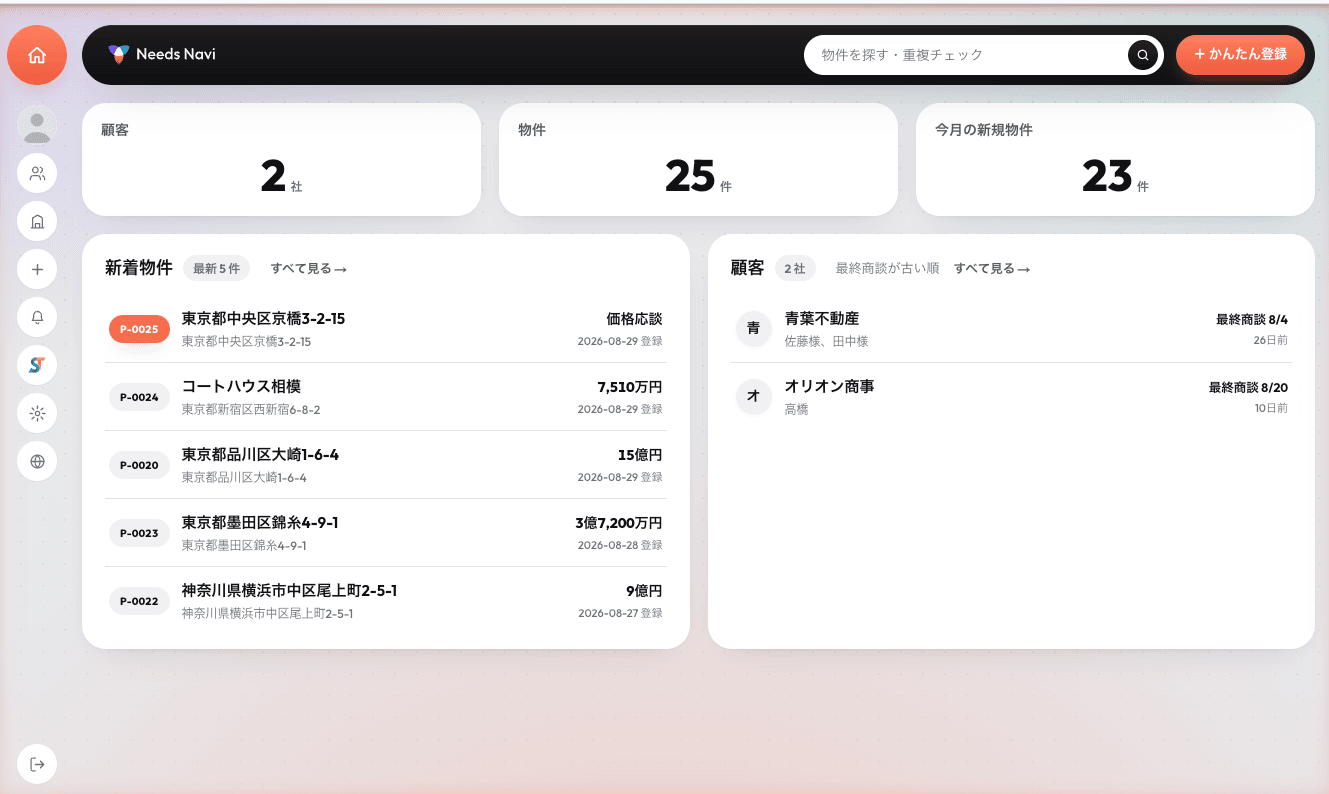
Needs matching & property database
Get information to clients, fast.
Incoming property sheets become company assets. AI understands each client's needs and prepares the matching properties — email drafts included.
Sound wasteful?
Your information lives in people, not in the company.
01
Property sheets
buried in inboxes and desks
02
Client needs
on paper, in memory, in heads
03
Property × client
matched by hand
04
Proposal prep
about 30 minutes each
to prepare one proposal
~30min
The information exists. The company just can't use it.
Put it in. Connect it. Deliver it.
Put it in
Property PDFs, spoken voice notes, photos of handwritten memos — register them as they are, from your phone, wherever you are.
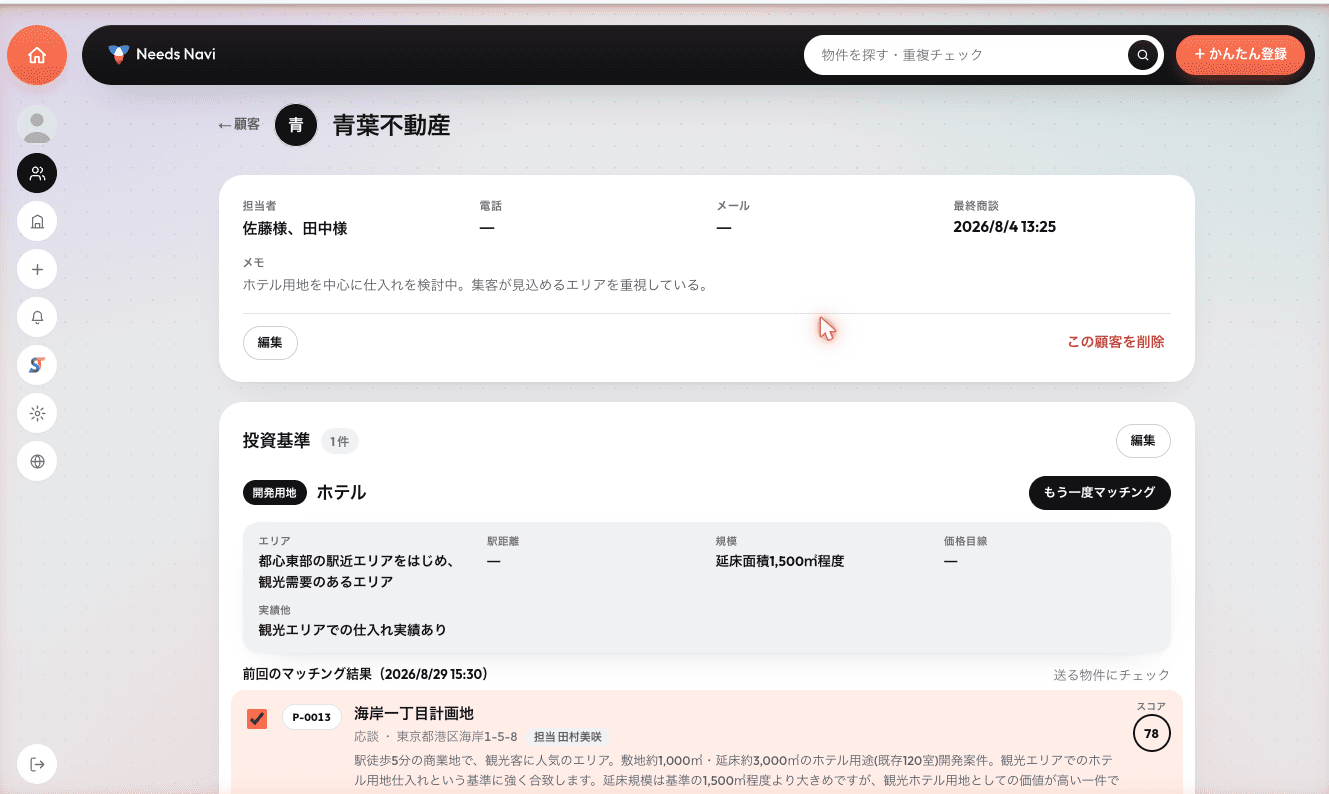
AI connects
Automatic PDF reading, needs organized, then AI matching. Accumulated information is paired with the right client, with reasons attached.
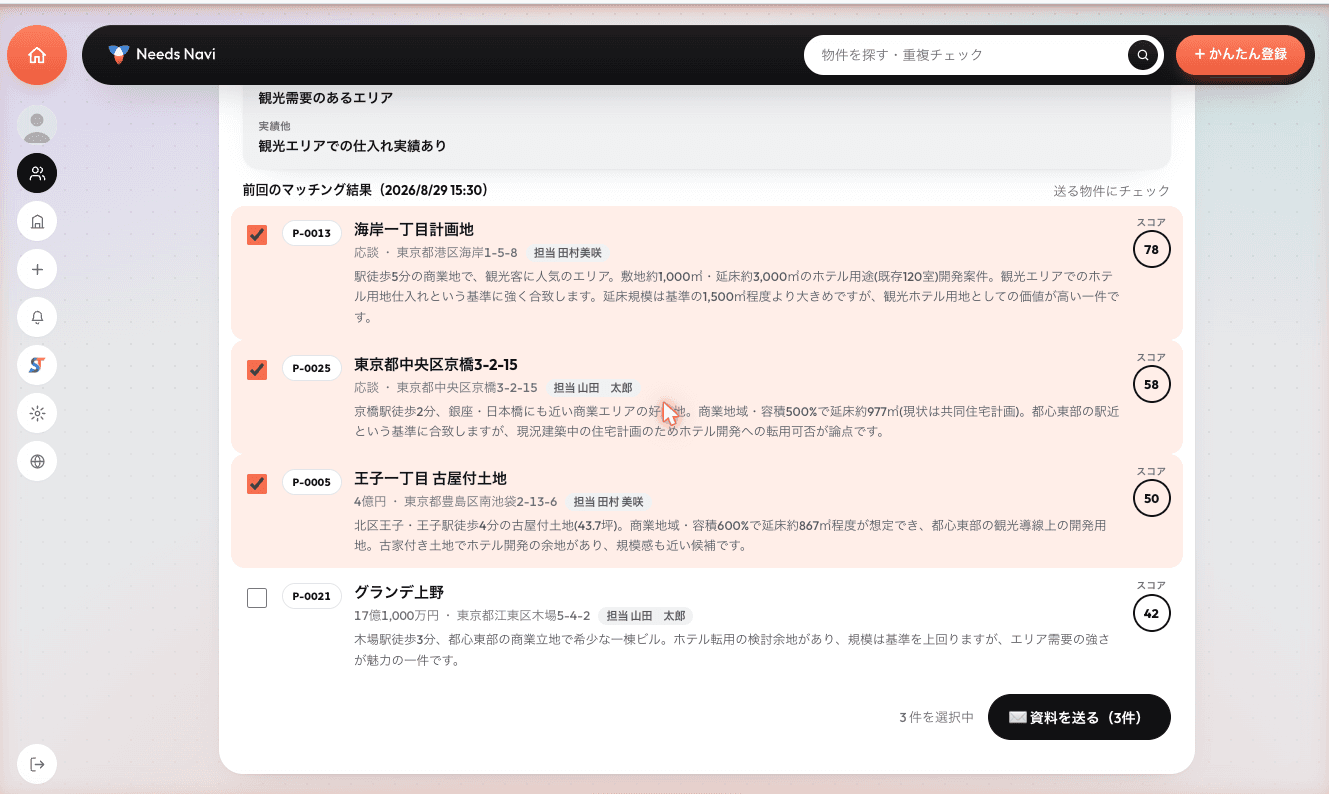
Deliver
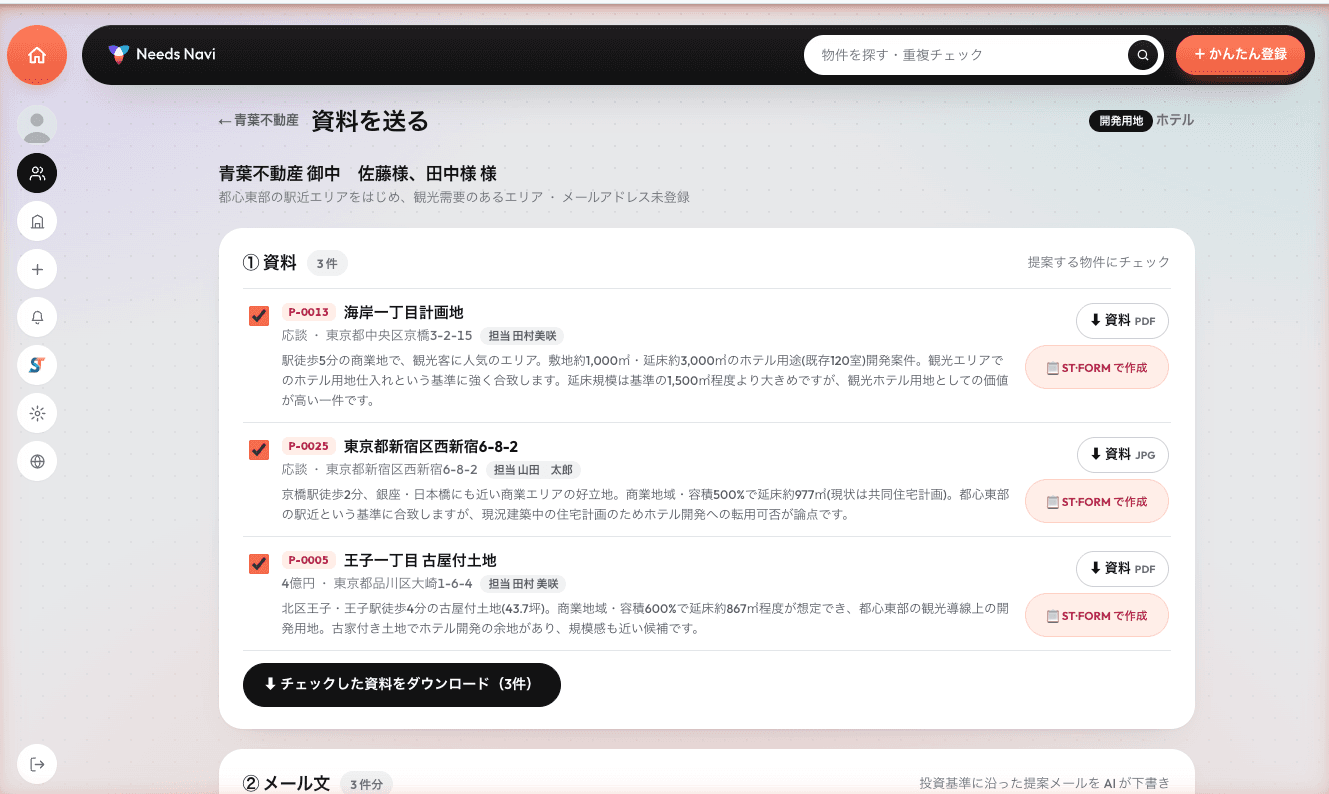
AI prepares the property sheet, an introduction and an email draft. Send by LINE or email on the spot.
Six reasons teams choose it.
Same-day rollout
No app to install. Start from the browser the same day.
Designed to keep AI costs down
As documents pile up, AI costs stay flat — the longer you use it, the more it shows.
A database per company
Information moves from personal inboxes to company assets. History survives staff changes.
Mobile ready
Register and propose on the go. A sheet received on site goes into the database on the spot.
ST・FORM integration
Generate branded property sheets right inside Needs Navi.
A UI born on the floor
Developed while real estate salespeople actually used it. No getting lost.
Onboarding — live in 5 steps
- 1
Hearing
We learn how your information and sales flow works today.
- 2
Opening
Your company's own environment is set up.
- 3
Initial setup
Company details, staff accounts and templates.
- 4
Walkthrough
We confirm the flow with your real documents and clients.
- 5
Go live
Into daily use, with support after launch.
Materials & Contact
Pricing is quoted individually by seats, modules and AI usage. Request materials or a consultation by form or email.
FAQ
- Can it fit how we manage information today?
- Yes. The onboarding hearing covers your current flow, and seats and modules are adjusted to match.
- Where are documents stored?
- The standard setup stores them in your own Google Drive — we do not hold your documents.
- Does it work on phones alone?
- Yes. Add it to the home screen and launch from there, ready for registering and proposing on the go.
Turn information into company assets.
Sleeping property sheets and client needs become new deals through AI. Tell us how you manage information today.
Contact us